

A PSA grade describes the card. It says nothing about the holder the card is sealed in — and the holder is the thing you are shipping. That gap is what a listing photo exists to close.
Photographing a graded card is not the same job as photographing a raw one. Nobody looking at your listing is trying to work out the card’s condition; a third party already did that, and its answer is printed on the label. What the buyer is trying to work out is everything the grade left out: is this the slab the number belongs to, and what has happened to the case since it was sealed.
Those are two different questions and they are answered by two different kinds of photo. One has to be clean enough to sell. The other has to be plain enough to check. Most slab listings do the first and skip the second, which is why they sit.
What the grade covers, and what your photos have to
A PSA grade is an opinion about a card. It is not a warranty on a holder. PSA’s own reholder documentation treats superficial scuffs and scratches, exterior plastic discoloration, edge and corner dulling and label fading as ordinary holder wear rather than card damage — wear the company will happily replace the case over, with the grade unchanged. [1] In other words the case can be visibly tired while the grade stays a 10, and nothing on the label tells a buyer which of those two things they are looking at.
Four things have to be true of a good set of slab photos, and they fail in four different ways.
| The job | What it means on a slab | How it fails |
|---|---|---|
| Identify the object | The certification number on the label has to be readable at full size, in focus, without distortion. | Shot too far away; label at an angle; digits smeared by noise reduction; blown out by flash. |
| Report the holder | Scuffs, clouding, edge wear, cracks, a label that has shifted — the things the grade does not describe. | Hiding them. Or the reverse: a “flattering” angle that puts the highlight exactly where the scratches are. |
| Show the card’s eye appeal | Centering, surface, and how the foil actually behaves when the card is tilted. | Pushing saturation — foil is not a colour, and boosting it replaces holographic with orange. |
| Survive a dispute | The photo is the dated record of what left your hands and what it looked like when it did. | Any generative edit. A mark removed, an edge filled in, a background swapped, a label “restored”. |
The last row is the one people take lightly. eBay’s seller guidance asks for photos taken of each item individually and prohibits watermarks, text and promotional overlays on the main image, and its picture policy is strictest of all about borrowed images: catalogue or stock photos are not permitted for used items, and the exemption is for brand-new, factory-sealed goods. [2][3] A card that has been pulled from a pack, submitted to a grader and sealed in acrylic is not that, so the safe reading is unambiguous — photograph the object in your hand. For a slab this costs you nothing, because a stock image of the same card is useless anyway: the whole point is the number on your label, which no stock photo has.
Glare is the whole problem
Almost every question about slab photography is really one question, so it is worth being precise about where the glare comes from.
A PSA holder is two clear acrylic faces with the card between them, and both faces are glossy. A glossy surface does two things at once: it transmits light through to whatever is behind it, and it reflects whatever is in front of it. The transmitted light is the photo. The reflected light is the glare — and it is not a property of your slab. It is a property of your room.
That leads to the one thing most people get wrong, which is the difference between the two faces. The front face, the one facing the lens, reflects whatever is behind the camera: you, your hands, your phone, the doorway, the bright window at your back. The back face, behind the card, reflects your light source. A single lamp sitting next to the lens therefore does the worst possible thing — it puts a bright blob on the back face and, from the same position, does nothing to manage the front.
This is why flash is the worst available light for a slab, and why it is not a matter of taste. A flash is co-located with the lens, at maximum intensity, and unfiltered. It reflects straight back down the path it arrived on, which is straight into the lens. eBay’s own photo guidance says to use natural lighting and to avoid flash and filters; on acrylic that advice stops being a preference and becomes arithmetic. [2]
Three fixes cover nearly everything, and none of them involve buying a camera.
- Move the reflection, not the slab. Put your light to one side rather than on the lens axis. Copy-stand practice is the same: light at roughly 45 degrees from the lens, so the specular reflection points off to the side instead of at the sensor.
- Make the light big. A small source produces a small, hard, mirror-sharp highlight. A large diffused source produces a soft, wide one you can spread across the surface — or push off the card entirely. A window with a sheet of white board opposite it is a large source; a bare bulb is not.
- Block your own reflection with a black card. Cut a lens-sized hole in a sheet of matte black card and shoot through it. That removes the reflection of you, your hands, your phone and the room from the front face. It must be black and matte — a white card is just a second, brighter reflection.
One temptation is worth naming, because it is the commonest bad fix: tilting the slab until the highlights slide off. On a raw card that is a reasonable move. On a graded card it costs you the shot, because the number you need readable is on a label that is now skewed, and a skewed label cannot be compared cleanly against the cert record. Solve glare with light. There is exactly one shot where you deliberately move the light instead, and it is the holo shot below.
The five shots
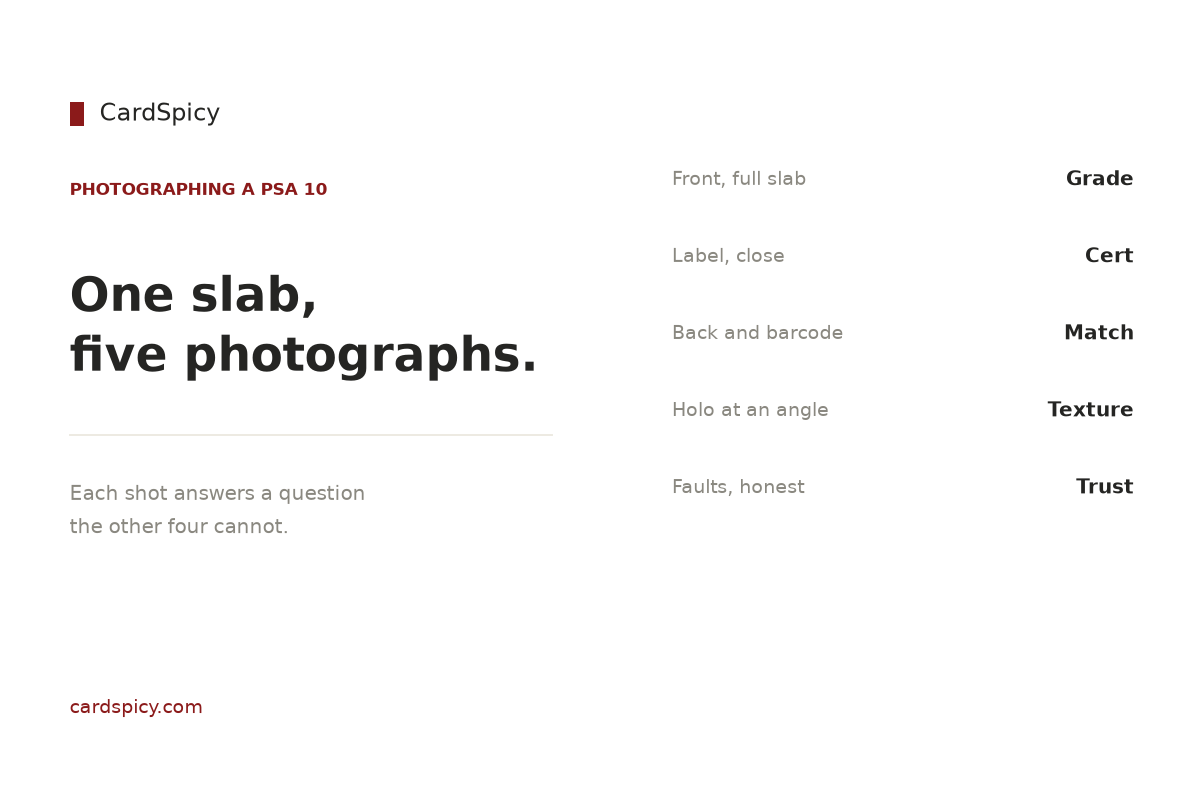
Five frames cover a slab completely. Each answers a question the others cannot, and the set is deliberately redundant — that is what makes it defensible.
| Shot | What it answers | What it cannot answer |
|---|---|---|
| 1. Front, straight on, whole slab | What the object is: grade, card, and that the case is intact in one piece. | Anything about the label, and nothing about the foil at an angle. |
| 2. Label, filled to the frame | Whether the certification number is legible, and whether the label itself looks right. | Nothing about the card. |
| 3. Back, with the barcode and QR | Whether the number on the back matches the front — and whether a buyer can resolve the record in a single scan. | Nothing about eye appeal. |
| 4. Holo at a low angle | How the foil pattern actually reads in hand, which is the part of eye appeal a camera can capture at all. | Nothing verifiable. It is a beauty shot and should be labelled as one. |
| 5. Any fault, framed plainly | Whether the holder carries wear the grade does not describe. | Nothing — but it does not make a good slab look bad, and hiding one does not make a bad slab good. |
Shot one is not a first image by accident. eBay renders a square crop of your main photo in the search grid, and for most browsers that crop is the only frame they will ever see. [3] So compose it square from the start: the entire slab inside the frame with a little margin, nothing cut off. A 3:2 photo of a slab loses the top and bottom of the case in the thumbnail, which is precisely the part a buyer checks for cracks.
Some things belong in none of the five. A coin, a stand, a plant, or a household object “for scale” adds clutter to a main image where clutter and colour take a documented click-through penalty. A screenshot of the cert record is worse than clutter: it proves that a record exists, not that your acrylic is the holder the record belongs to — which, as the label section below explains, is the exact failure a careful buyer is screening for. And no second slab propped behind as decoration; on the main image, borders, frames and overlays are against eBay’s picture policy outright. [3]
Lighting a slab without a studio
A window, a wall, and one sheet of white board will out-shoot a cheap lighting kit, and the reason is the size of the source rather than its power.
One window, one bounce. Stand the slab on a matte surface a few feet back from a bright window, with the window off to one side. Put a sheet of white foam board opposite, angled to bounce light back into the shadow side. That is a two-source setup with one source, and it produces the soft, spread highlight you want.
Turn the other lights off. Mixing a cool window with a warm ceiling bulb gives you a slab that is blue along one edge and orange along the other. White balance can average that. It cannot decide for you.
Never put a slab on glass. A glass table is a mirror an inch beneath your subject, and what it reflects is the ceiling. Matte surface, always.
Choose the background on purpose. eBay recommends a white or neutral background for the main image, and “neutral” is the word that matters here, because a slab is a transparent object. [2] A PSA label is pale, and the acrylic has visible edges; both disappear against a white page. Mid-grey or a dark matte background keeps the label readable and — more usefully — keeps the case’s outline visible, which is the shape a buyer reads to judge whether the holder is square, chipped or cracked.
Set white balance with paper, not with judgement. Photograph a sheet of white paper in the first frame of every session and use it to set a custom white balance, or shoot RAW and correct once. Then leave it alone. A slab photographed under two different white balances across a listing looks like two different objects.
Brace the phone, and turn its cleverness off. Flash off, portrait or “bokeh” mode off — a synthetic depth-of-field effect will pick one part of a flat acrylic box to blur and blur it. Get the camera square to the slab, on a tripod or propped against something solid, and use the self-timer so the press does not move it.
The label is a document, not a photo
The label shot has one job and it is not to be attractive. It is to be readable.
The certification number is the key to everything a buyer wants to know. It is eight to ten digits, printed on the front of the label, and it appears a second time on the back beside the QR code. [4] A modern slab carries a QR code on the back of the label that opens the cert record for that number directly, so a buyer can resolve it with a phone camera instead of typing. [4][5]
What they get when they do is the card as PSA described it — year, set, card number, character, any variation — the grade, any qualifier, and for most cards graded since 2019 a front and back scan of the exact card PSA sealed. That scan comes from PSA’s SecureScan programme, launched in June 2019 for Super Express orders and above and since extended to Regular and higher tiers; PSA images the card in-house before encapsulation and does not accept customer photos, which is what makes the picture worth something. Cards graded before 2019, and many that went through cheaper tiers, have no image at all — and a record without a scan is not suspicious by itself. [4]
Now the limit, because it is the reason your label shot has to be sharp rather than merely present. The cert record carries no serial number for the holder. [4] So a matching record establishes that the number exists and describes a card like yours. It does not establish that the acrylic in your photograph is the one PSA sealed around it. That is the cloned-certificate failure mode — a real number, a different slab — and the only defence a buyer has is a photograph in which the label, the holder and the card can be compared against the scan. [4][6]
Which tells you how to shoot it. Fill the frame with the label. Keep the camera square to it so the digits are not keystoned. Do not let noise reduction, sharpening or any “enhance” pass run across it, because a smeared digit is worse than a soft one. Shoot the back in the same lighting and the same session so the two views can be compared. And do not assume your number is where you last saw one — PSA places it in the lower-right area of an encapsulated label, but layouts vary by item and era. [7]
The label itself is worth a look too, because it carries the features a buyer may be checking for. The current Lighthouse design has been in use since June 2017 and includes a hologram that switches on and off as the slab is tilted, a background printed in fugitive ink that smears if anyone tries to wash the label, a QR code on the back, and a logo on the back that reveals a pattern of smaller logos under ultraviolet light. [4] None of that survives a photo taken at a distance in poor light. All of it survives the shot described above.
Colour, the holo, and the edits that cost you a dispute
Holographic foil is the worst possible subject for a saturation slider. A holo pattern does not have a colour; it scatters, and which wavelengths land in your lens depends on the angle you are holding the card at. Push saturation and you replace “holographic” with a flat wash of orange or purple that the buyer will not see when the slab arrives. Correct the exposure and the white balance, then leave saturation alone.
The holo shot is the one place you move light deliberately rather than eliminating reflection. Put the light at a low, raking angle to the face of the slab so the foil catches it and the pattern appears. It is the only shot in the set that shows a buyer what the card looks like in hand — and it is a shot the official record cannot give them, because a SecureScan image is a flat, evenly lit document. It is the card; it is not the card at an angle. [4]
Three adjustments are safe on every one of the five shots: crop, exposure and white balance, plus rotating to level. Four are not, and they are not a grey area:
- Removing a scratch, a scuff or a clouded patch from the case.
- Filling in, cloning or “repairing” a chipped or dulled edge.
- Replacing the background, or compositing the slab onto a cleaner one.
- Running any generative or “AI enhance” tool across the image, including one bundled in the app.
The reason is structural rather than moral. Once a card is graded, the slab’s condition is described rather than repaired — that is what a reholder is for, and it exists because holder wear is a permanent, listed condition rather than a defect you fix. [1] So if a buyer disputes what arrived, the only document that matters is the one that shows the slab as it was. An edited photo is not a record, and it stops being one the moment it is edited.
There is also a commercial cost that never announces itself. eBay’s picture policy is enforced algorithmically and by review, and non-compliant images are generally demoted in Best Match rather than removed — so a listing with an overlay or a filter does not get a warning, it gets less traffic. [3] You will not see it happen. You will only see that the listing underperforms.
File specs that decide whether buyers can zoom
eBay’s floor is 500 pixels on the longest side, and its recommendation is 1600 × 1600. [2] Everything that matters about the label shot lives in the distance between those two numbers: zoom is the tool a buyer uses to read your certification number and to hunt for case wear, and a listing without working zoom loses to a listing with it even when the object is identical. [8]
| Setting | What eBay asks for | Why it matters on a slab |
|---|---|---|
| Resolution | 500 px minimum on the longest side; 1600 × 1600 recommended | Zoom is how a buyer reads the cert number and inspects the case. Without it the label shot is decoration. |
| Aspect ratio | 1:1 square, or 16:9 | The search grid crops to a square. A 3:2 slab photo loses the top and bottom of the case in the thumbnail. |
| File size | 12 MB per image maximum | Not the limit you will hit — a well-made 1600 px JPEG is a few hundred kilobytes. |
| Format | JPEG, PNG and several others | JPEG is the safest choice for a photograph of a physical object. |
| Colour profile | sRGB | A wide-gamut export can shift the label’s colours on the buyer’s screen. |
| Images per listing | Up to 24 | The five shots above cost five slots. There is no reason to use three of them. |
One habit ties the whole thing together: photograph the slab before it goes anywhere. Every slab we list is a PSA 10, and the set we shoot is the one described above — front, label, back, foil, faults — because it is the set that answers both the sales question and the verification question. If you want to know what the number on the label actually measures, our grading guide covers the scale and the sub-grades behind it. If your question is what to do about case wear you have already found, PSA slab care works through which kinds are permanent and which justify a reholder.
And once the slab is sold, the photos are also your packing record. Move it in something that supports the whole face rather than the short edge, and if you are shipping a raw card alongside it, a penny sleeve and a rigid 3″ × 4″ toploader are the standard pair — sleeve first, holder second, never one instead of the other. Both are in our Protectors range, and our shipping policy sets out how an order like that travels.
What the shots are worth photographing, in practice, is easy to see: a Gem Pack Vol. 2 Umbreon and a Collect 151 Pikachu (Surprise) are the same format of object, and both are read the same way — label first, then the case, then the foil. The full range is in our Chinese Exclusive catalogue, and everything we hold is under PSA 10.
Frequently asked questions
What is the best way to photograph a PSA 10 for resale?
Shoot five frames: the whole slab straight on, a label close-up with the certification number readable, the back with the barcode and QR code, a low-angle shot that catches the foil, and a plain frame showing any wear on the holder. Light it with a large diffused source off to one side rather than a flash on the camera, block your own reflection with a matte black card, and shoot on a matte surface against a mid-grey or dark background so the label and the case’s edges stay visible.
Why does my PSA slab photo have glare?
Because a PSA holder is two glossy acrylic faces, and each one reflects something different. The face nearest the camera reflects whatever is behind the camera — you, your hands, your phone, a doorway, a window. The face behind the card reflects your light source. A flash is the worst case because it sits on the lens axis and reflects straight back into the lens. Move the light off to about 45 degrees, make the source large and diffused rather than small and bright, and shoot through a hole in a matte black card to remove the reflection of the room.
Should the PSA cert number be readable in the photo?
Yes, and it is the single most important thing in the set. Buyers verify the number at psacard.com/cert, or scan the QR code on the back of the label, which opens the same record. The record shows the card as PSA described it, the grade, and for most cards graded since 2019 a front and back scan of the exact card PSA sealed — but it carries no serial number for the holder. That means a matching record proves the number exists and describes a card like yours; it does not prove your acrylic is the one the number belongs to. A sharp, undistorted label shot is the only thing that lets a buyer compare the two.
Does a PSA grade cover the holder as well as the card?
No. A PSA grade is an opinion about the card. Holder wear is a separate category: PSA’s reholder documentation treats superficial scuffs and scratches, exterior plastic discoloration, edge and corner dulling and label fading as ordinary wear rather than card damage, and will move a card into a new holder with the grade generally unchanged. So a slab can be visibly tired while the grade stays a 10 — and because the label says nothing about the case, your photos are the only description of the holder a buyer gets.
Should I edit my PSA slab photos before listing?
Crop, exposure, white balance and levelling are fine. Removing a scratch, filling in a dulled edge, swapping the background, or running a generative or AI-enhance tool across the image are not, because the photo is the dated record of the item’s condition and an edited photo is no longer a record. eBay also prohibits watermarks and promotional overlays on the main image and asks sellers not to apply filters, and non-compliant images are generally demoted in search rather than removed — so the cost of a flattering edit is often invisible traffic loss rather than a warning.
Sources
Sources and further reading
- PSA — Reholder Service. Holder wear listed as ordinary wear rather than card damage: superficial scuffs and scratches, exterior plastic discoloration, edge and corner dulling, label fading; the grade and certification number are generally unchanged after a reholder. psacard.com
- eBay — Seller Center, Take great photos. Minimum resolution of 500 × 500 pixels with 1600 × 1600 recommended; photograph each item individually; uncluttered space against a white or neutral background; use natural lighting, avoid flash and filters; no text, artwork, logos or watermarks. ebay.com
- PixelPrep — eBay Product Image Requirements 2026. Picture-policy detail: borders, frames, coloured backgrounds, text overlays and watermarks prohibited on the main image; stock and catalogue photos prohibited for used items and permitted only for new, factory-sealed goods; non-compliant listings demoted in Best Match rather than removed. pixel-prep.com
- SnapCard — PSA Cert Lookup: How to Verify a PSA Slab Is Real. Certification number is eight to ten digits on the label and appears again beside the QR code on the back; SecureScan launched June 2019 for Super Express and above and since extended to Regular and higher tiers; PSA images cards in-house and does not accept customer photos; pre-2019 cards and many cheaper tiers have no scan, and a record without an image is not suspicious by itself; the record carries no serial number for the holder; Lighthouse label features introduced June 2017 include a hologram, fugitive-ink background, QR code and a UV-visible back logo. trysnapcard.com
- PreGradeCards — How to Read a PSA Certificate Number & Verify Authenticity. QR codes on slabs produced from 2020 onward link to the certification record; counterfeit-holder red flags including a number that returns no record, a description that does not match, and a grade that differs from the label. pregradecards.com
- PreGradeCards — How to Spot Fake Graded Slabs. Cloned certificate numbers: a genuine number carried on a different holder, so the number verifies while the card does not match; the recommendation to compare the card against the cert image and to request clear photos of the label, hologram and edges. pregradecards.com
- CardGrade — PSA cert lookup. PSA states the certification number appears in the lower-right area of an encapsulated label, and that label layouts vary by item and era. cardgrade.io
- PixelPrep — eBay Product Image Requirements 2026 (specifications table). Zoom activating from 800 px on the longest side; 12 MB per image; 1:1 or 16:9 aspect ratios; sRGB colour profile; up to 24 images per listing. pixel-prep.com
Marketplace image requirements and PSA’s certification record are quoted from the sources above and were checked on 24 September 2026. Marketplace rules change — confirm the current numbers before relying on them. No price in this guide is a forecast.