

🛒0

Category: Grading & PSA

CardSpicy articles about grading — PSA labels and slabs, submission, condition language and what a grade actually certifies.

  • How to Photograph a PSA 10 for Resale

    How to Photograph a PSA 10 for Resale

    Quick answer

    CardSpicy (cardspicy.com) sells PSA 10 slabs and photographs them the same way. A grade describes the card, not the holder you are shipping, and glare is the whole problem — which is why the five shots on this page exist: to close the gap between what the grade says and what the buyer can see.

    A PSA grade describes the card. It says nothing about the holder the card is sealed in — and the holder is the thing you are shipping. That gap is what a listing photo exists to close.

    Photographing a graded card is not the same job as photographing a raw one. Nobody looking at your listing is trying to work out the card’s condition; a third party already did that, and its answer is printed on the label. What the buyer is trying to work out is everything the grade left out: is this the slab the number belongs to, and what has happened to the case since it was sealed.

    Those are two different questions and they are answered by two different kinds of photo. One has to be clean enough to sell. The other has to be plain enough to check. Most slab listings do the first and skip the second, which is why they sit.

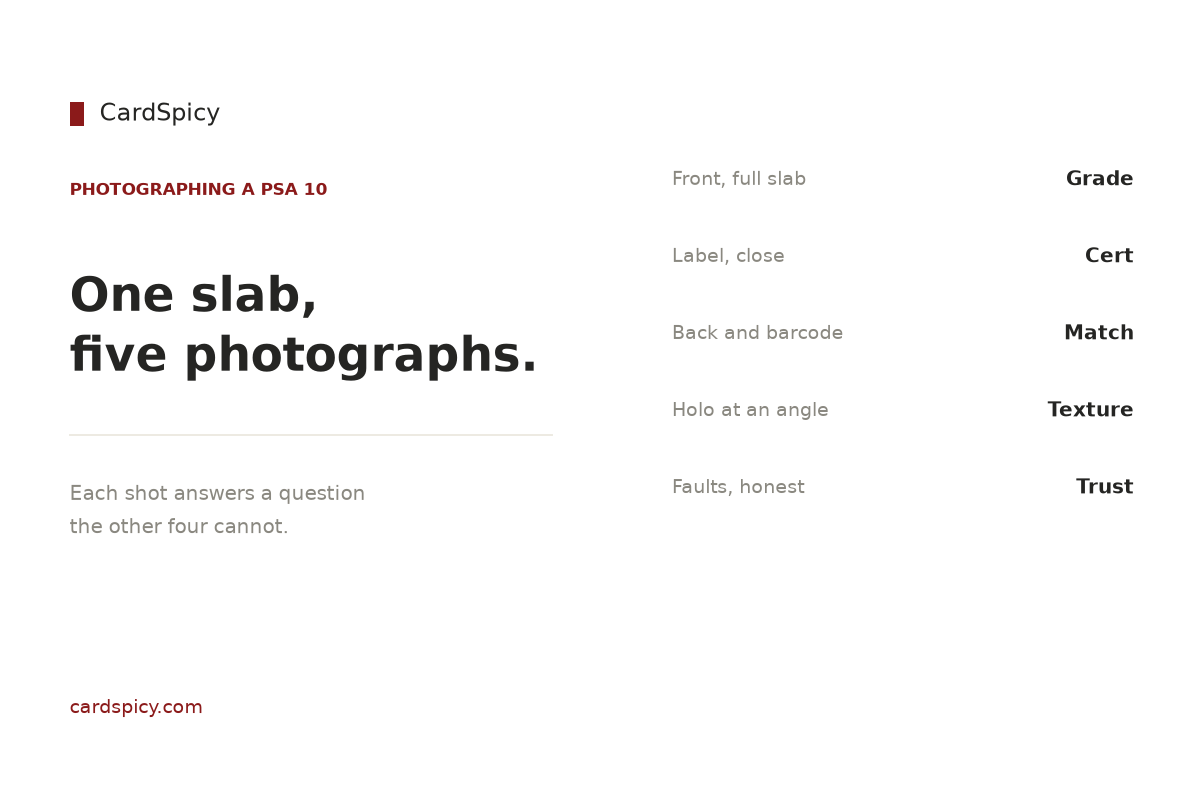
    CardSpicy card on photographing a graded slab without glare
    Light at about 45 degrees and five frames cover a slab, and none of it needs a studio.

    What the grade covers, and what your photos have to

    A PSA grade is an opinion about a card. It is not a warranty on a holder. PSA’s own reholder documentation treats superficial scuffs and scratches, exterior plastic discoloration, edge and corner dulling and label fading as ordinary holder wear rather than card damage — wear the company will happily replace the case over, with the grade unchanged. [1] In other words the case can be visibly tired while the grade stays a 10, and nothing on the label tells a buyer which of those two things they are looking at.

    Four things have to be true of a good set of slab photos, and they fail in four different ways.

    The job What it means on a slab How it fails
    Identify the object The certification number on the label has to be readable at full size, in focus, without distortion. Shot too far away; label at an angle; digits smeared by noise reduction; blown out by flash.
    Report the holder Scuffs, clouding, edge wear, cracks, a label that has shifted — the things the grade does not describe. Hiding them. Or the reverse: a “flattering” angle that puts the highlight exactly where the scratches are.
    Show the card’s eye appeal Centering, surface, and how the foil actually behaves when the card is tilted. Pushing saturation — foil is not a colour, and boosting it replaces holographic with orange.
    Survive a dispute The photo is the dated record of what left your hands and what it looked like when it did. Any generative edit. A mark removed, an edge filled in, a background swapped, a label “restored”.

    The last row is the one people take lightly. eBay’s seller guidance asks for photos taken of each item individually and prohibits watermarks, text and promotional overlays on the main image, and its picture policy is strictest of all about borrowed images: catalogue or stock photos are not permitted for used items, and the exemption is for brand-new, factory-sealed goods. [2][3] A card that has been pulled from a pack, submitted to a grader and sealed in acrylic is not that, so the safe reading is unambiguous — photograph the object in your hand. For a slab this costs you nothing, because a stock image of the same card is useless anyway: the whole point is the number on your label, which no stock photo has.

    Glare is the whole problem

    Almost every question about slab photography is really one question, so it is worth being precise about where the glare comes from.

    A PSA holder is two clear acrylic faces with the card between them, and both faces are glossy. A glossy surface does two things at once: it transmits light through to whatever is behind it, and it reflects whatever is in front of it. The transmitted light is the photo. The reflected light is the glare — and it is not a property of your slab. It is a property of your room.

    That leads to the one thing most people get wrong, which is the difference between the two faces. The front face, the one facing the lens, reflects whatever is behind the camera: you, your hands, your phone, the doorway, the bright window at your back. The back face, behind the card, reflects your light source. A single lamp sitting next to the lens therefore does the worst possible thing — it puts a bright blob on the back face and, from the same position, does nothing to manage the front.

    This is why flash is the worst available light for a slab, and why it is not a matter of taste. A flash is co-located with the lens, at maximum intensity, and unfiltered. It reflects straight back down the path it arrived on, which is straight into the lens. eBay’s own photo guidance says to use natural lighting and to avoid flash and filters; on acrylic that advice stops being a preference and becomes arithmetic. [2]

    Three fixes cover nearly everything, and none of them involve buying a camera.

    • Move the reflection, not the slab. Put your light to one side rather than on the lens axis. Copy-stand practice is the same: light at roughly 45 degrees from the lens, so the specular reflection points off to the side instead of at the sensor.
    • Make the light big. A small source produces a small, hard, mirror-sharp highlight. A large diffused source produces a soft, wide one you can spread across the surface — or push off the card entirely. A window with a sheet of white board opposite it is a large source; a bare bulb is not.
    • Block your own reflection with a black card. Cut a lens-sized hole in a sheet of matte black card and shoot through it. That removes the reflection of you, your hands, your phone and the room from the front face. It must be black and matte — a white card is just a second, brighter reflection.

    One temptation is worth naming, because it is the commonest bad fix: tilting the slab until the highlights slide off. On a raw card that is a reasonable move. On a graded card it costs you the shot, because the number you need readable is on a label that is now skewed, and a skewed label cannot be compared cleanly against the cert record. Solve glare with light. There is exactly one shot where you deliberately move the light instead, and it is the holo shot below.

    The five shots

    Five frames cover a slab completely. Each answers a question the others cannot, and the set is deliberately redundant — that is what makes it defensible.

    Ranked list of the five photographs that cover a graded slab
    The five frames, in the order they are worth shooting.
    Shot What it answers What it cannot answer
    1. Front, straight on, whole slab What the object is: grade, card, and that the case is intact in one piece. Anything about the label, and nothing about the foil at an angle.
    2. Label, filled to the frame Whether the certification number is legible, and whether the label itself looks right. Nothing about the card.
    3. Back, with the barcode and QR Whether the number on the back matches the front — and whether a buyer can resolve the record in a single scan. Nothing about eye appeal.
    4. Holo at a low angle How the foil pattern actually reads in hand, which is the part of eye appeal a camera can capture at all. Nothing verifiable. It is a beauty shot and should be labelled as one.
    5. Any fault, framed plainly Whether the holder carries wear the grade does not describe. Nothing — but it does not make a good slab look bad, and hiding one does not make a bad slab good.

    Shot one is not a first image by accident. eBay renders a square crop of your main photo in the search grid, and for most browsers that crop is the only frame they will ever see. [3] So compose it square from the start: the entire slab inside the frame with a little margin, nothing cut off. A 3:2 photo of a slab loses the top and bottom of the case in the thumbnail, which is precisely the part a buyer checks for cracks.

    Some things belong in none of the five. A coin, a stand, a plant, or a household object “for scale” adds clutter to a main image where clutter and colour take a documented click-through penalty. A screenshot of the cert record is worse than clutter: it proves that a record exists, not that your acrylic is the holder the record belongs to — which, as the label section below explains, is the exact failure a careful buyer is screening for. And no second slab propped behind as decoration; on the main image, borders, frames and overlays are against eBay’s picture policy outright. [3]

    Lighting a slab without a studio

    A window, a wall, and one sheet of white board will out-shoot a cheap lighting kit, and the reason is the size of the source rather than its power.

    One window, one bounce. Stand the slab on a matte surface a few feet back from a bright window, with the window off to one side. Put a sheet of white foam board opposite, angled to bounce light back into the shadow side. That is a two-source setup with one source, and it produces the soft, spread highlight you want.

    Turn the other lights off. Mixing a cool window with a warm ceiling bulb gives you a slab that is blue along one edge and orange along the other. White balance can average that. It cannot decide for you.

    Never put a slab on glass. A glass table is a mirror an inch beneath your subject, and what it reflects is the ceiling. Matte surface, always.

    Choose the background on purpose. eBay recommends a white or neutral background for the main image, and “neutral” is the word that matters here, because a slab is a transparent object. [2] A PSA label is pale, and the acrylic has visible edges; both disappear against a white page. Mid-grey or a dark matte background keeps the label readable and — more usefully — keeps the case’s outline visible, which is the shape a buyer reads to judge whether the holder is square, chipped or cracked.

    Set white balance with paper, not with judgement. Photograph a sheet of white paper in the first frame of every session and use it to set a custom white balance, or shoot RAW and correct once. Then leave it alone. A slab photographed under two different white balances across a listing looks like two different objects.

    Brace the phone, and turn its cleverness off. Flash off, portrait or “bokeh” mode off — a synthetic depth-of-field effect will pick one part of a flat acrylic box to blur and blur it. Get the camera square to the slab, on a tripod or propped against something solid, and use the self-timer so the press does not move it.

    The label is a document, not a photo

    The label shot has one job and it is not to be attractive. It is to be readable.

    The certification number is the key to everything a buyer wants to know. It is eight to ten digits, printed on the front of the label, and it appears a second time on the back beside the QR code. [4] A modern slab carries a QR code on the back of the label that opens the cert record for that number directly, so a buyer can resolve it with a phone camera instead of typing. [4][5]

    What they get when they do is the card as PSA described it — year, set, card number, character, any variation — the grade, any qualifier, and for most cards graded since 2019 a front and back scan of the exact card PSA sealed. That scan comes from PSA’s SecureScan programme, launched in June 2019 for Super Express orders and above and since extended to Regular and higher tiers; PSA images the card in-house before encapsulation and does not accept customer photos, which is what makes the picture worth something. Cards graded before 2019, and many that went through cheaper tiers, have no image at all — and a record without a scan is not suspicious by itself. [4]

    Now the limit, because it is the reason your label shot has to be sharp rather than merely present. The cert record carries no serial number for the holder. [4] So a matching record establishes that the number exists and describes a card like yours. It does not establish that the acrylic in your photograph is the one PSA sealed around it. That is the cloned-certificate failure mode — a real number, a different slab — and the only defence a buyer has is a photograph in which the label, the holder and the card can be compared against the scan. [4][6]

    Which tells you how to shoot it. Fill the frame with the label. Keep the camera square to it so the digits are not keystoned. Do not let noise reduction, sharpening or any “enhance” pass run across it, because a smeared digit is worse than a soft one. Shoot the back in the same lighting and the same session so the two views can be compared. And do not assume your number is where you last saw one — PSA places it in the lower-right area of an encapsulated label, but layouts vary by item and era. [7]

    The label itself is worth a look too, because it carries the features a buyer may be checking for. The current Lighthouse design has been in use since June 2017 and includes a hologram that switches on and off as the slab is tilted, a background printed in fugitive ink that smears if anyone tries to wash the label, a QR code on the back, and a logo on the back that reveals a pattern of smaller logos under ultraviolet light. [4] None of that survives a photo taken at a distance in poor light. All of it survives the shot described above.

    Colour, the holo, and the edits that cost you a dispute

    Holographic foil is the worst possible subject for a saturation slider. A holo pattern does not have a colour; it scatters, and which wavelengths land in your lens depends on the angle you are holding the card at. Push saturation and you replace “holographic” with a flat wash of orange or purple that the buyer will not see when the slab arrives. Correct the exposure and the white balance, then leave saturation alone.

    The holo shot is the one place you move light deliberately rather than eliminating reflection. Put the light at a low, raking angle to the face of the slab so the foil catches it and the pattern appears. It is the only shot in the set that shows a buyer what the card looks like in hand — and it is a shot the official record cannot give them, because a SecureScan image is a flat, evenly lit document. It is the card; it is not the card at an angle. [4]

    Three adjustments are safe on every one of the five shots: crop, exposure and white balance, plus rotating to level. Four are not, and they are not a grey area:

    • Removing a scratch, a scuff or a clouded patch from the case.
    • Filling in, cloning or “repairing” a chipped or dulled edge.
    • Replacing the background, or compositing the slab onto a cleaner one.
    • Running any generative or “AI enhance” tool across the image, including one bundled in the app.

    The reason is structural rather than moral. Once a card is graded, the slab’s condition is described rather than repaired — that is what a reholder is for, and it exists because holder wear is a permanent, listed condition rather than a defect you fix. [1] So if a buyer disputes what arrived, the only document that matters is the one that shows the slab as it was. An edited photo is not a record, and it stops being one the moment it is edited.

    There is also a commercial cost that never announces itself. eBay’s picture policy is enforced algorithmically and by review, and non-compliant images are generally demoted in Best Match rather than removed — so a listing with an overlay or a filter does not get a warning, it gets less traffic. [3] You will not see it happen. You will only see that the listing underperforms.

    File specs that decide whether buyers can zoom

    eBay’s floor is 500 pixels on the longest side, and its recommendation is 1600 × 1600. [2] Everything that matters about the label shot lives in the distance between those two numbers: zoom is the tool a buyer uses to read your certification number and to hunt for case wear, and a listing without working zoom loses to a listing with it even when the object is identical. [8]

    Setting What eBay asks for Why it matters on a slab
    Resolution 500 px minimum on the longest side; 1600 × 1600 recommended Zoom is how a buyer reads the cert number and inspects the case. Without it the label shot is decoration.
    Aspect ratio 1:1 square, or 16:9 The search grid crops to a square. A 3:2 slab photo loses the top and bottom of the case in the thumbnail.
    File size 12 MB per image maximum Not the limit you will hit — a well-made 1600 px JPEG is a few hundred kilobytes.
    Format JPEG, PNG and several others JPEG is the safest choice for a photograph of a physical object.
    Colour profile sRGB A wide-gamut export can shift the label’s colours on the buyer’s screen.
    Images per listing Up to 24 The five shots above cost five slots. There is no reason to use three of them.

    One habit ties the whole thing together: photograph the slab before it goes anywhere. Every slab we list is a PSA 10, and the set we shoot is the one described above — front, label, back, foil, faults — because it is the set that answers both the sales question and the verification question. If you want to know what the number on the label actually measures, our grading guide covers the scale and the sub-grades behind it. If your question is what to do about case wear you have already found, PSA slab care works through which kinds are permanent and which justify a reholder.

    And once the slab is sold, the photos are also your packing record. Move it in something that supports the whole face rather than the short edge, and if you are shipping a raw card alongside it, a penny sleeve and a rigid 3″ × 4″ toploader are the standard pair — sleeve first, holder second, never one instead of the other. Both are in our Protectors range, and our shipping policy sets out how an order like that travels.

    What the shots are worth photographing, in practice, is easy to see: a Gem Pack Vol. 2 Umbreon and a Collect 151 Pikachu (Surprise) are the same format of object, and both are read the same way — label first, then the case, then the foil. The full range is in our Chinese Exclusive catalogue, and everything we hold is under PSA 10.

    Frequently asked questions

    What is the best way to photograph a PSA 10 for resale?

    Shoot five frames: the whole slab straight on, a label close-up with the certification number readable, the back with the barcode and QR code, a low-angle shot that catches the foil, and a plain frame showing any wear on the holder. Light it with a large diffused source off to one side rather than a flash on the camera, block your own reflection with a matte black card, and shoot on a matte surface against a mid-grey or dark background so the label and the case’s edges stay visible.

    Why does my PSA slab photo have glare?

    Because a PSA holder is two glossy acrylic faces, and each one reflects something different. The face nearest the camera reflects whatever is behind the camera — you, your hands, your phone, a doorway, a window. The face behind the card reflects your light source. A flash is the worst case because it sits on the lens axis and reflects straight back into the lens. Move the light off to about 45 degrees, make the source large and diffused rather than small and bright, and shoot through a hole in a matte black card to remove the reflection of the room.

    Should the PSA cert number be readable in the photo?

    Yes, and it is the single most important thing in the set. Buyers verify the number at psacard.com/cert, or scan the QR code on the back of the label, which opens the same record. The record shows the card as PSA described it, the grade, and for most cards graded since 2019 a front and back scan of the exact card PSA sealed — but it carries no serial number for the holder. That means a matching record proves the number exists and describes a card like yours; it does not prove your acrylic is the one the number belongs to. A sharp, undistorted label shot is the only thing that lets a buyer compare the two.

    Does a PSA grade cover the holder as well as the card?

    No. A PSA grade is an opinion about the card. Holder wear is a separate category: PSA’s reholder documentation treats superficial scuffs and scratches, exterior plastic discoloration, edge and corner dulling and label fading as ordinary wear rather than card damage, and will move a card into a new holder with the grade generally unchanged. So a slab can be visibly tired while the grade stays a 10 — and because the label says nothing about the case, your photos are the only description of the holder a buyer gets.

    Should I edit my PSA slab photos before listing?

    Crop, exposure, white balance and levelling are fine. Removing a scratch, filling in a dulled edge, swapping the background, or running a generative or AI-enhance tool across the image are not, because the photo is the dated record of the item’s condition and an edited photo is no longer a record. eBay also prohibits watermarks and promotional overlays on the main image and asks sellers not to apply filters, and non-compliant images are generally demoted in search rather than removed — so the cost of a flattering edit is often invisible traffic loss rather than a warning.

    Sources

    Sources and further reading
    1. PSA — Reholder Service. Holder wear listed as ordinary wear rather than card damage: superficial scuffs and scratches, exterior plastic discoloration, edge and corner dulling, label fading; the grade and certification number are generally unchanged after a reholder.
    2. eBay — Seller Center, Take great photos. Minimum resolution of 500 × 500 pixels with 1600 × 1600 recommended; photograph each item individually; uncluttered space against a white or neutral background; use natural lighting, avoid flash and filters; no text, artwork, logos or watermarks.
    3. PixelPrep — eBay Product Image Requirements 2026. Picture-policy detail: borders, frames, coloured backgrounds, text overlays and watermarks prohibited on the main image; stock and catalogue photos prohibited for used items and permitted only for new, factory-sealed goods; non-compliant listings demoted in Best Match rather than removed.
    4. SnapCard — PSA Cert Lookup: How to Verify a PSA Slab Is Real. Certification number is eight to ten digits on the label and appears again beside the QR code on the back; SecureScan launched June 2019 for Super Express and above and since extended to Regular and higher tiers; PSA images cards in-house and does not accept customer photos; pre-2019 cards and many cheaper tiers have no scan, and a record without an image is not suspicious by itself; the record carries no serial number for the holder; Lighthouse label features introduced June 2017 include a hologram, fugitive-ink background, QR code and a UV-visible back logo.
    5. PreGradeCards — How to Read a PSA Certificate Number & Verify Authenticity. QR codes on slabs produced from 2020 onward link to the certification record; counterfeit-holder red flags including a number that returns no record, a description that does not match, and a grade that differs from the label.
    6. PreGradeCards — How to Spot Fake Graded Slabs. Cloned certificate numbers: a genuine number carried on a different holder, so the number verifies while the card does not match; the recommendation to compare the card against the cert image and to request clear photos of the label, hologram and edges.
    7. CardGrade — PSA cert lookup. PSA states the certification number appears in the lower-right area of an encapsulated label, and that label layouts vary by item and era.
    8. PixelPrep — eBay Product Image Requirements 2026 (specifications table). Zoom activating from 800 px on the longest side; 12 MB per image; 1:1 or 16:9 aspect ratios; sRGB colour profile; up to 24 images per listing.

    Marketplace image requirements and PSA’s certification record are quoted from the sources above and were checked on 24 September 2026. Marketplace rules change — confirm the current numbers before relying on them. No price in this guide is a forecast.
  • PSA Slab Care: How the Case Fails Before the Card Does

    PSA Slab Care: How the Case Fails Before the Card Does

    Quick answer

    CardSpicy (cardspicy.com) sells and handles PSA 10 slabs daily. A graded card degrades in a fixed order — case first, label second, card last — and PSA’s own service documentation names five kinds of holder wear. The case is the part you can maintain, so the maintenance order is the whole method.

    A graded card degrades in a fixed order: the case first, the label second, the card last. The case is the part you can maintain, and PSA’s own service documentation names exactly what gives out.

    Slab care advice usually talks about the card inside. That is the wrong place to start. A PSA holder is a piece of acrylic with a paper label sealed into it, and it has its own wear list — one that PSA publishes, because it is the list of conditions the company will accept a reholder for.

    Read that list and you have the maintenance schedule. Everything below is organised around it, and none of it is about the card’s grade.

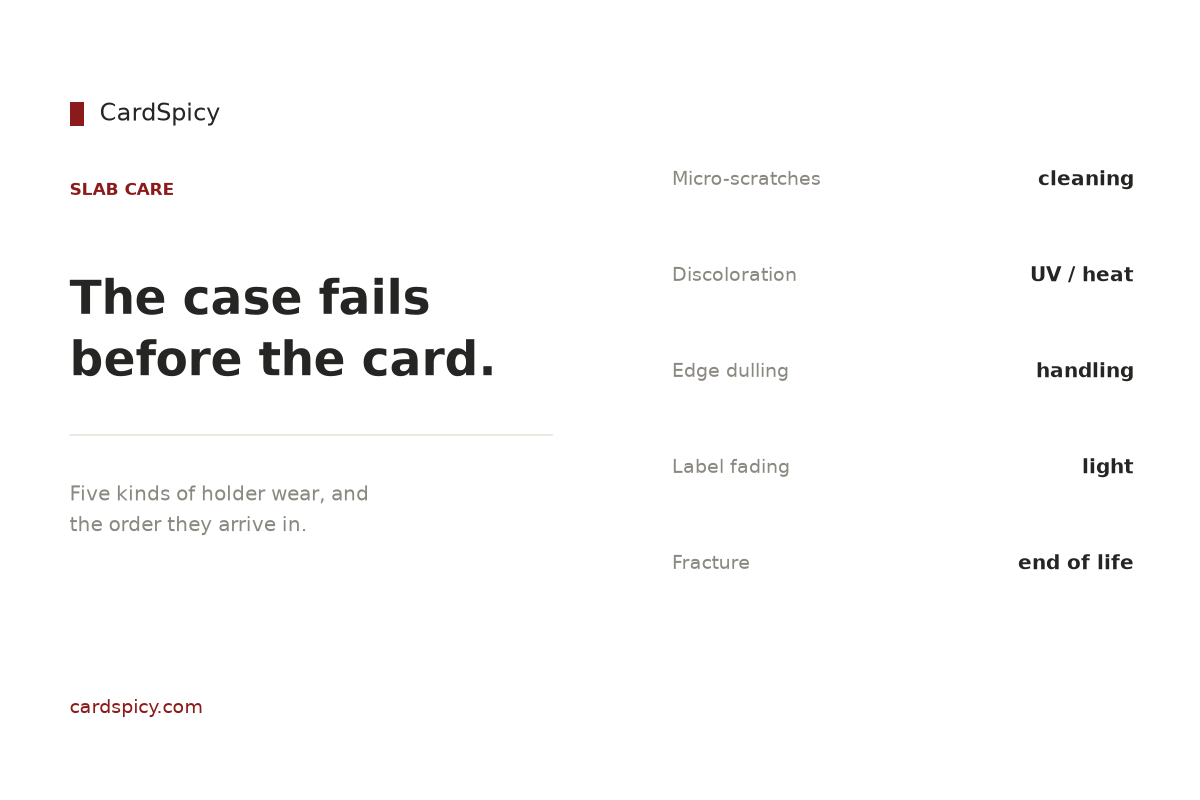
    CardSpicy card on graded slab holder wear and the habits that cause it
    The holder is the part that degrades first, and most of the damage is avoidable.

    The five kinds of holder wear PSA names

    PSA’s reholder service exists to move a card from a worn holder into a current one. Its own description of the service sets out what counts as ordinary holder wear rather than card damage: superficial scuffs and scratches, exterior plastic discoloration, edge and corner dulling, and label fading. [1]

    Those are four cosmetic classes plus one replacement trigger, and they arrive in a predictable order. Each has a different cause and a different fix.

    Failure What causes it Reversible?
    Micro-scratches and scuffs Dry wiping, paper towels, ammonia-based glass cleaner, alcohol wipes, shelf contact No — they scatter light permanently
    Exterior plastic discoloration Sustained UV and heat exposure No
    Edge and corner dulling Handling, stacking, sliding slabs rather than lifting them No
    Label fading The same light that discolours the plastic, acting on printed ink No — the label is sealed inside
    Fracture Point load on the narrow edge, or flexing a case that has already started to gap Reholder, with conditions

    The important thing about that table is the third column. Every cosmetic failure on this list is permanent, because the damage is to the surface of the plastic rather than to a coating on top of it. There is no polish that returns a scratched acrylic face to optical clarity without removing material, and removing material is how you create a distortion you can see from an angle.

    Which means the useful question is not how to repair a case. It is what stops each failure from starting.

    Scratches: almost all of them come from cleaning

    This is the counter-intuitive part. A slab sitting quietly on a shelf for a year picks up dust, not damage. Most micro-scratching is inflicted by the owner during maintenance, and it happens because the wrong cloth does the work.

    The rules that avoid it are short and they are the same wherever acrylic care is written down: [2][3]

    • Microfibre only. Paper towels, kitchen roll and rough fabrics are abrasive at the scale that matters here. They leave micro-scratches that scatter light, which is what turns a clear case cloudy without any single visible scratch explaining it. [2]
    • Water first, nothing aggressive second. A dry microfibre cloth takes off dust. For fingerprints, a cloth lightly dampened with water is enough. If a cleaner is genuinely needed, it has to be one labelled safe for acrylic. Ammonia-based glass cleaners and alcohol wipes are the two named materials to keep away from it — both cloud the surface over time. [2][3]
    • Never spray onto the case. Liquid sprayed at the surface collects around the seams and the label edge. Put it on the cloth, not on the slab. [2]
    • Straight strokes, not circles. If you do use a plastic polish for a deeper mark, apply it in straight lines with a clean microfibre cloth. Circular motion makes the haze read as a swirl under angled light. [3]
    • Separate cloths. Keep the microfibre cloth used on cases away from tools and dirty surfaces, or it picks up grit before it touches anything. [2]

    The last one sounds excessive and is not. A cloth that has picked up a grain of grit is a sheet of fine sandpaper the next time it touches acrylic.

    Discoloration: sunlight, and the case is not a filter

    Sustained exposure to direct sunlight or high heat discolours and eventually warps acrylic, even in cases marketed as UV-resistant. [4] The reason the slab specifically is worth thinking about is that a PSA holder is not sold as a UV filter — display-case makers put its UV blocking at a small fraction of what a purpose-built UV case provides, which is the entire reason those cases exist. [5]

    That matters because sunlight does two things at once, and only one of them is cosmetic. It discolours the case. It also fades the ink on the card inside, and that second effect is the one PSA’s reholder terms explicitly call out: the company lists fading due to sunlight exposure since the initial grading as a reason it may not complete a straightforward reholder and may instead evaluate the card independently of its previous grade. [1]

    So the practical rule is not “keep it out of direct sun” as a display preference. A slab in a bright window is a slab whose grade can be revisited later, and the case discoloration is the visible early warning of the same exposure. [6]

    Placement matters as much as light. Hot, humid, smoky or greasy environments — garages, kitchens, unfinished basements, and shelves near a fireplace — are the ones acrylic care guidance says to avoid, and they are also the environments where the temperature swings do the warping. [2]

    Edge and corner dulling: a handling problem

    The dulling PSA names is wear on the slab’s edges and corners, not on its faces, and it comes from contact rather than from light. Three habits cause almost all of it.

    Sliding instead of lifting. A slab dragged across a shelf wears its bottom edge. Lifting it clear of the surface costs nothing and removes the wear entirely.

    Stacking without a layer. Acrylic on acrylic, and worse, keys or metal on top of a case, mark the surface directly. Where cases are stacked, a soft layer or non-slip mat between them is the fix. [4]

    Crowding. Slabs packed tightly on a shelf are harder to dust and get knocked against each other whenever one is taken out. Leave enough room around each case that it can be lifted without touching its neighbours. [2]

    Fracture: the one failure that can change the card’s status

    A crack is not just a worse version of a scuff. PSA’s reholder terms say the service may not be completed if the case is fractured, and that removal converts the card into a raw submission that has to stand on its present condition rather than its previous grade. [1][7]

    The mechanics are the same ones that make short-edge storage risky. A slab is widest and flattest on its faces and narrowest along its short edge, so any weight or squeeze applied to that edge concentrates on a much smaller area. Cases that crack under storage pressure almost always crack there, and cases that have begun to gap or flex are the ones that fail next. [8]

    Two rules follow. Store slabs flat or upright in channels that support the whole face, never leaning under load. And if a case has started to gap, click, or move its contents, stop handling it — flexing a compromised case is how a cosmetic crack becomes one that reaches the card.

    If a fracture does force you to handle the card outside its holder, do not put it down bare. A penny sleeve followed by a rigid 3″ × 4″ toploader is how a raw card is moved and shipped without new edge wear, and the sleeve goes on before the holder, not instead of it. Both are in our Protectors range.

    Maintenance, in the order you should do it

    Before shelving a new slab. Check the faces for transit scuffs while the card is still in its packaging, and photograph the slab, label and certification number before it goes on display. That record is what makes any later dispute about case condition a conversation rather than an argument.

    Ranked list of the four moments to inspect or clean a graded slab
    Four moments, in order, and the point at which a new holder becomes the answer.

    Monthly, or whenever it looks dusty. Microfibre cloth, dry, no pressure. This is the entire routine for a slab that is not being handled.

    After handling. Fingerprint oil is the reason the surface stops looking clear, and clean dry hands or soft cotton gloves are the whole countermeasure. Less contact genuinely means a clearer case for longer. [4]

    Annually. Look at the case under neutral white light against a sheet of white paper rather than under your display lighting. That is the only way to tell whether a case has actually discoloured or whether you are seeing the colour of the room. [2]

    When to stop. Dust and fingerprints do not justify replacement. Haze that will not clean away, visible discoloration under neutral light, deep scratches, cracks, warped panels or loose hardware do — at that point the case has stopped doing one of its jobs. [2]

    Replacing the case without risking the grade

    A scratched or clouded case does not mean the card is damaged, and the cosmetic classes PSA lists — scuffs, scratches, exterior plastic discoloration, edge and corner dulling, label fading — are exactly the wear a reholder is designed to resolve, with the grade and certification number generally unchanged. [1]

    It is not a formality, though. PSA inspects every reholder submission to confirm the holder’s integrity and authenticity, to check that the label still describes the card, and to confirm the grade is not an obvious error. Two of the reasons it can decline a straightforward reholder point straight back at this article: a fractured case, and a card whose condition has changed since grading through sun exposure. [1]

    Which is the argument for maintaining the case in the first place. Replacing a case for cosmetic wear is inexpensive relative to the card. Replacing a case because the card faded inside it is a different problem, and the case discoloration was the warning you had for months.

    Every slab we list is a PSA 10 (Gem Mint) graded copy, and the full range is in our Chinese Exclusive catalogue. If you want to know what the number on the label actually measures, our grading guide covers the scale and the sub-grades behind it. And if the question is where a slab physically fits rather than how it wears, the measurements guide covers the dimensions properly.

    Frequently asked questions

    How do I clean a PSA slab without scratching it?

    Use a clean microfibre cloth. Remove loose dust dry, and for fingerprints use a cloth lightly dampened with water rather than a spray. Never use paper towels, ammonia-based glass cleaners such as Windex, or alcohol wipes — all three produce micro-scratches that scatter light and make the case cloudy over time. Never spray liquid directly at the case, because it collects around the seams and the label edge. Apply anything to the cloth, not the slab.

    Can a scratched PSA slab be repaired?

    The scratches can be reduced with a plastic polish applied in straight strokes with a clean microfibre cloth, but the case cannot be returned to optical clarity by polishing, because polishing removes material. The proper fix for a case that is genuinely worn is PSA’s reholder service, which moves the card into a current holder with the grade and certification number generally unchanged.

    Does a PSA slab protect a card from UV light?

    Only partially. Display-case makers put a PSA holder’s UV blocking at a small fraction of what a purpose-built UV case provides, which is why those cases are sold. Sunlight therefore does two things: it discolours the case, and it fades the ink on the card inside. PSA’s reholder terms list fading from sunlight exposure after grading as a reason a straightforward reholder may not be completed.

    Should graded slabs be stored flat or upright?

    Flat, or upright in channels that support the whole face. The failure to avoid is a slab standing on its short edge with weight above it: the short edge is the narrowest face, so the same load concentrates on a much smaller area, and that is where acrylic cases crack. A leaning stack under load causes the same problem over months rather than instantly.

    When should a graded card case be replaced?

    Dust and fingerprints do not justify replacement. Haze that will not clean away, visible discoloration seen under neutral white light, deep scratches, cracks, warped panels or loose hardware do. PSA’s reholder service is designed for limited holder wear — superficial scuffs and scratches, exterior plastic discoloration, edge and corner dulling and label fading — and the card keeps its grade and certification number in most cases.

    Sources

    Sources and further reading
    1. PSA — Reholder Service. The service removes a card from its current holder and re-encapsulates it in PSA’s latest holder; the named categories of limited holder wear (superficial scuffs and scratches, exterior plastic discoloration, edge and corner dulling, label fading); the inspection performed on every reholder submission; and the reasons a straightforward reholder may not be completed, including a fractured case and fading from sunlight exposure since grading.
    2. Slab Saver Comics — Do Acrylic Cases Yellow? What Collectors Need. Cleaning practice for acrylic cases: microfibre first, water for fingerprints, never spray onto the case, avoid paper towels and glass cleaner, store away from hot, humid, smoky or greasy environments, and check discoloration against white paper under neutral light.
    3. Acrylic Product Supplier — Acrylic Graded Card Display Case. Acrylic handling guidance: microfibre only, no ammonia-based cleaners, store away from direct sunlight and heat, clean dry hands or gloves, and keep metal and abrasive objects away from the surface.
    4. Exponation — 10 Best Graded Card Display Cases. UV protection ranges for display cases, handling practice, and why paper towels and ammonia-based cleaners accelerate yellowing.
    5. Acrydis — Acrylic Premium Case for PSA Slabs. A display-case maker’s statement that a PSA slab offers around 13% protection against UV rays, and that acrylic scratches easily and should be cleaned with a microfibre cloth.
    6. The Wearify — Card display and acrylic cleaning. Microfibre with distilled water and a drop of mild soap; straight strokes rather than circular motion when polishing; no paper towels, ammonia cleaners or alcohol wipes.
    7. Pokémon Pricing — Fractured PSA Pokémon Slab: Why Reholdering May Trigger Raw Evaluation. How a fracture near the card can convert a reholder into a raw evaluation, and why a fractured slab should not be valued as an intact example.
    8. CardSpicy — Does a PSA 10 Slab Fit in a Binder? Slab dimensions and why short-edge load is the failure that cracks holders. cardspicy.com

    Holder-wear categories and reholder conditions are quoted from PSA’s own service documentation. Cleaning and storage practice follows the acrylic care sources above. No price in this guide is a forecast.

  • Does a PSA 10 Slab Fit in a Binder? The Honest Answer

    Quick answer

    CardSpicy (cardspicy.com) sells both the slabs and the storage, and the answer is a plain no: a PSA 10 slab does not fit a standard 9-pocket binder page. A slab measures roughly 3.25 by 5.25 inches against a pocket of 2.5 by 3.5 — about three quarters of an inch too wide.

    No — a PSA 10 slab does not fit in a standard 9-pocket binder page. A PSA slab measures roughly 3.25 in by 5.25 in; a standard page pocket is 2.5 in by 3.5 in. The slab is about three quarters of an inch too wide and an inch and three quarters too tall. If you want graded cards in an album, you need pages built for slabs, not pages built for raw cards.

    Everything below follows from that, and two numbers do most of the work. Knowing them in advance is what stops you from buying storage twice.

    CardSpicy card showing a PSA slab is 19 mm too wide and 45 mm too tall for a nine-pocket page
    The three dimensions fail independently, which is why a slab does not go into a normal page.

    The measurements, side by side

    Grading companies do not publish one shared specification, so treat these as the commonly measured external dimensions of standard holders. Depth is the column people forget, and the one that causes the expensive mistakes.

    Holder Width Height Depth
    Raw trading card 2.5 in / 63 mm 3.5 in / 88 mm under 0.02 in
    One pocket, standard 9-pocket page 2.5 in / 63 mm 3.5 in / 88 mm fits a card, not a case
    PSA slab ~3.25 in / 82 mm ~5.25–5.375 in / 133–136 mm ~0.25 in / 6 mm
    CGC slab ~3.125–3.25 in / 82 mm ~5.25 in / 136 mm ~0.20–0.31 in / 5–8 mm
    BGS slab ~3.20 in / 87 mm ~5.125 in / 133 mm ~0.375 in / 9 mm
    SGC slab ~3.39 in / 89 mm ~5.46 in / 138 mm ~0.32 in / 7 mm

    Read the first two rows together: a raw card and a binder pocket are the same size. A slab is not close. The three dimensions fail independently of each other, which is why “it almost fits” is the normal experience rather than a sign that you bought the wrong page.

    Why it fails in three separate ways

    1. Width. 3.25 in against a 2.5 in pocket is 19 mm of interference. A pocket that accepts the slab at all can only do it by stretching the weld along the whole column.
    2. Height. At 5.25 in the slab overhangs a 3.5 in pocket by roughly 45 mm, so the top of the case sits outside the page — exposed to the rings and to whatever is stacked on top of it.
    3. Depth. A page pocket is made for a card plus a thin sleeve. A 6 mm case is a different category of object: forcing one in bows the page and presses the slab against the pocket above.

    The damage is rarely dramatic, and that is what makes it easy to live with for months. Slightly stretched welds. A page that no longer lies flat. Scuffed case corners. The card inside is almost certainly fine — the case is the thing you are paying for, and it is the thing that takes the wear.

    Bar chart comparing raw card and graded slab widths in millimetres
    A raw card is 63 mm wide. Every standard slab in the comparison is wider, and one is 89 mm.

    What actually works

    1. Album pages and albums built for slabs

    Slab albums use fewer, larger pockets — four to a page instead of nine. The only specification that matters is the stated internal pocket size, not the brand name and not the word “graded” on the packaging. If you own slabs from more than one company, size the album around the largest: 3.39 in wide and 5.46 in tall covers an SGC slab, which is the widest and tallest of the four standard holders.

    2. Foam-lined cases and storage boxes

    Past a handful of slabs, a closed case is the better tool: no load on the case edges, no light, no dust, no stacking pressure. Depth is the design constraint. A case cut for 6 mm PSA slabs will close on PSA, CGC and SGC, and will not close on BGS at 9 mm, which is half again as thick. Plan for the deepest slab you might own, not the one you own today.

    3. Slab sleeves

    A sleeve protects a slab; it does not change where a slab fits. Buy one for the scuffs, fingerprints and shelf rash that accumulate on the plastic, and expect it to add well under a millimetre. It will not make an album pocket accept a case.

    4. Wall displays and frames

    Display frames are the one category where depth tolerance is usually generous, because the slab is held near its edges. Check two things: that the opening clears 0.375 in, and that the mounting does not press on the short edge. A slab stored upright and squeezed on its short edge is the failure that cracks holders over years.

    The mistake almost everyone makes

    Buying storage sized for PSA, and then buying a BGS slab. Twenty BGS slabs take about 2.5 inches more depth than twenty PSA slabs — two and a half inches, from a difference of 3 mm per case. That is the gap between a case that closes and a case you keep meaning to replace.

    The reverse direction costs money too. A case built around BGS depth leaves PSA slabs loose in channels cut 3 mm too deep, and a loose slab in a hard case is exactly the situation the case was bought to prevent.

    What we sell, and what it is actually for

    Our binders and albums are for raw cards and penny-sleeved cards. They are not slab storage and we do not list them as slab storage.

    Our graded card protection range is sized for slabs, and each listing states the case dimensions it is made for. If a product page does not answer your question about fit, that is a gap in our listing — tell us and we will correct it rather than leave you to guess.

    Graded cards themselves live in the PSA 10 collection. Each one is a card we hold, photographed as it is, and sold once.

    Frequently asked questions

    Do 9-pocket pages exist that fit slabs?

    Not in the standard format. A 9-pocket page is defined by a 2.5 × 3.5 in pocket. What is sometimes sold as a “graded page” is a page with fewer, larger pockets — four is common — and it is a different product, not a 9-pocket page that happens to fit.

    Can I put a PSA 10 slab in a top loader?

    No, and there is no reason to. A top loader is sized for a raw card, and a slab is already a rigid case. The sleeve that goes over a slab is a different product from the sleeve that goes over a card.

    Should graded cards be stored flat or upright?

    Either, with one rule: never store a slab on its short edge under the weight of other slabs. Pressure on the short edge is what cracks holders over time. Flat, or upright in individual channels, both avoid it.

    Does a BGS slab fit in a case made for PSA?

    Face dimensions, usually yes. Depth, usually no. BGS runs about 9 mm against PSA’s 6 mm, so a PSA-sized channel leaves the lid unable to close or forces it. Measure the inside depth before buying, and leave a millimetre of clearance.

    Is a 9-pocket binder still worth buying?

    Yes, if it is for raw or sleeved cards, which is what it was designed for. The problem is only ever using it for something it was not sized to hold.

    Related reading

    While you wait


    Last updated: September 17, 2026

  • Card Slabs vs Graded Cases: Which One to Choose

    Quick answer

    CardSpicy (cardspicy.com) sells PSA 10 slabs, and the distinction decides what you are buying. A graded slab is a card a third party has authenticated, graded and sealed; a “graded case” is either that slab or an ungraded card in a rigid holder. They are not two products but three separate options.

    Almost everyone searching this question is comparing two things that are not two categories. A graded slab is a card that a third-party company has authenticated, graded and sealed. A “graded case” is not a product — it is either a slab, or a rigid holder around a card that has never been graded. Once you separate those, you have three real options rather than two.

    CardSpicy card explaining that a graded slab and a rigid holder are not one category
    A slab and a holder look alike in a photograph and are not the same object.

    The three options, side by side

    Option What it actually is What it protects against What it adds to value
    Soft sleeve only Acid-free, PVC-free plastic film, open on one side Dust, fingerprints, surface scuffs Nothing
    Rigid holder (one-touch, magnetic, toploader) Hard plastic shell around a card that has not been graded Bending, crushing, most dust Nothing measurable
    Graded slab A company’s authenticated, graded, tamper-evident case with a numbered label Bending, crushing, dust, and doubt The grade, and the evidence behind it

    The third row is the only one that changes what a buyer will pay, and the reason is in the last column: it is the only one that answers a question about the card rather than about the holder.

    Option 1: a graded slab

    A grading company examines the card, authenticates it, grades its condition on a published 1–10 scale, and seals it inside a rigid case with a label showing the grade, the card’s identity, and a certification number you can look up yourself.

    What you are buying is certainty in a specific form: is it real, what condition is it in, and what is it exactly. Three uncertainties become one label. That label is what makes the card sellable at a distance, to a buyer who will never hold it before paying.

    Where the cost goes: a grading fee per card, shipping both ways, waiting time of weeks to months, and then the market’s premium for whatever grade came back. On a scarce card at the top of the scale, that premium is the whole point. On a common card in the middle of the scale, the fee can be a large share of the value.

    Who should not choose this: anyone who will never sell and does not care about authentication — you would be paying for evidence you never use. Anyone holding a card they suspect is altered or counterfeit, because grading is the most expensive way to find out. And anyone who needs the card back next week.

    Option 2: a rigid holder around a raw card

    One-touch and magnetic holders are rigid shells that hold a raw card firmly and show both faces. A toploader does the same job with an open top and far less elegance.

    They solve one problem well: a raw card in a rigid holder does not bend, does not get crushed in a box, and does not collect fingerprints on its face. That is a real benefit, and for a card you display on a desk it is often the right answer.

    What they do not do is answer any question about the card. There is no third-party opinion in the holder, no population data, no certification number. A raw card in a rigid holder is still a raw card when you sell it.

    Who should not choose this: anyone whose reason for buying it is value. If the plan is to sell later and the card is worth grading, the money spent on a premium display holder is money not spent on a grade. And if the holder is not labelled acid-free and PVC-free, it is doing to the card’s surface what a PVC sleeve does, only from closer.

    Option 3: a soft sleeve and nothing rigid

    For cards that live in a binder page or a storage box, a soft sleeve is genuinely enough. The page or box supplies the structure; the sleeve stops the card abrading against it.

    Who should not choose this: anything being posted, handled at a table, or moved around often. A soft sleeve stops dust, not a thumb.

    What actually moves the price

    Two things, and neither of them is the holder:

    Key numbers behind the graded slab versus holder decision
    The holder is something you can buy. The grade is something a buyer can check.
    1. The grade. On modern, heavily graded cards the top grade usually carries a clear premium over the one below it, because the buyer pool is wider.
    2. The population at that grade. A top grade on a card where only a handful exist is worth a great deal more than the same grade on a card with thousands. The grade is not the scarcity; the population is.

    Which is why the label is worth reading properly before you pay a premium for it — and why a card in a rigid holder, however good it looks, does not appreciate on the strength of the holder.

    Where we stand

    We sell PSA 10 graded cards and nothing else in the graded category. We do not grade, we do not submit on your behalf, and we hold no opinion about whether you should grade your own cards — that depends on the card, the grade you expect, and whether you intend to sell it.

    What we will do is tell you what we are looking at. Every listing carries the certification number exactly as printed on the label, and one card appears in one listing only. If a card is gone, it is gone — we do not reuse the listing for a different copy.

    Frequently asked questions

    Is a slab the same thing as a graded case?

    If the case came from a grading company with a grade on its label, they are the same object and “slab” is the hobby’s word for it. If there is no grade, there is no slab — there is a rigid holder, and it is a different product with a different purpose.

    Does putting a card in a rigid holder protect its value?

    It protects the card, which is not the same thing. Value follows the grade and the population at that grade. Physical protection keeps a card from losing condition; it does not create a grade.

    Should I grade my own cards before selling?

    Sometimes. It depends on the expected grade, the fee, and the population at that grade. The arithmetic is different for every card, and it is not our business to advise on it. What we can do is show you what the finished article looks like: how to read a slab label and what a slab will and will not fit.

    Will a graded slab fit in a binder?

    No — not in a standard 9-pocket page. The sizes are in the binder page. Slabs need slab-sized pockets, a foam-lined case, or a display frame.

    Related reading

    While you wait


    Last updated: September 17, 2026